
The weekly board
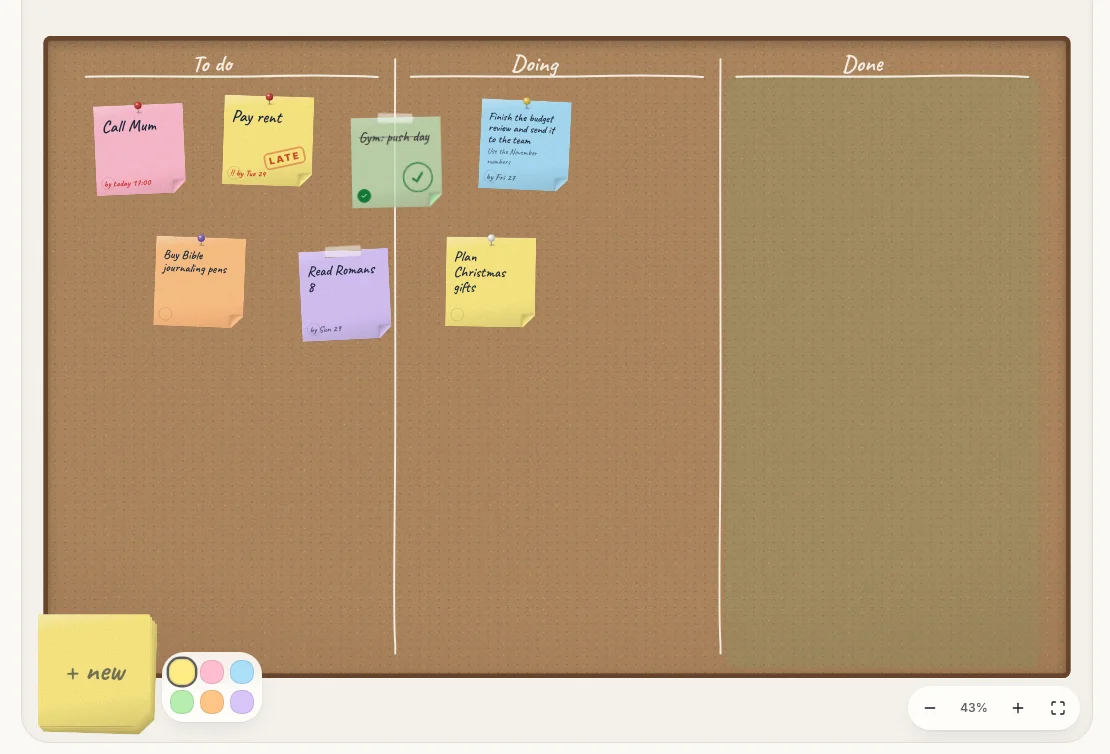
Plan on cork or whiteboard. A note keeps its deadline as it moves from to-do to done.
To do
Send the design draft
Today, 10:30Pick up groceries
Today, 18:00Doing
Review the week
This afternoonDone
See the board in the actual app
A private workspace for your day
See what’s due, make time for Scripture and prayer, and know what you’re spending. Start with a day you can try right here.
Explore a sample dayThe Today dashboard
Move from morning devotion to an evening reflection. See how the dashboard changes as your day moves, with examples of what works today and what’s in the plans.
Open the day’s reading, spend time with your prayer list, and write down a verse to remember.
AvailableIn this part of the day
The times are examples. In Life Tracker, your timeline follows the hours you set.
Hands-on demos
Move a sticky note. See what a subscription really costs over a year. These demos use sample data and work without signing in.
Plan on cork or whiteboard. A note keeps its deadline as it moves from to-do to done.
Send the design draft
Today, 10:30Pick up groceries
Today, 18:00Review the week
This afternoonCompare monthly and yearly totals, even if each service bills on a different schedule.
Uncheck a service to see what pausing it would save.
Feature guide
Search across the app, filter by availability, or open any entry for the details. Features marked partly available appear under both filters.
12 features
Roadmap · Journal and reports
“I called Mum, spent 128 kr on lunch, and didn’t get around to groceries.” One entry could update three parts of the app after you review it.
Try a sample of how a reflection could become tomorrow’s first steps.
The planned journal opens with a checklist drawn from your day. You can record a voice note or type a reflection.
Access and setup
Start with your own wake time, devotion, and bedtime. Set up how you want the app to look and how you want to sign in.
Life Tracker is an owner-only workspace. The public demos use sample data and don’t ask for your personal records.
Open Life TrackerOn iPhone, open Life Tracker in Safari, use the Share menu, then choose Add to Home Screen. The installed app opens at your Today dashboard.